


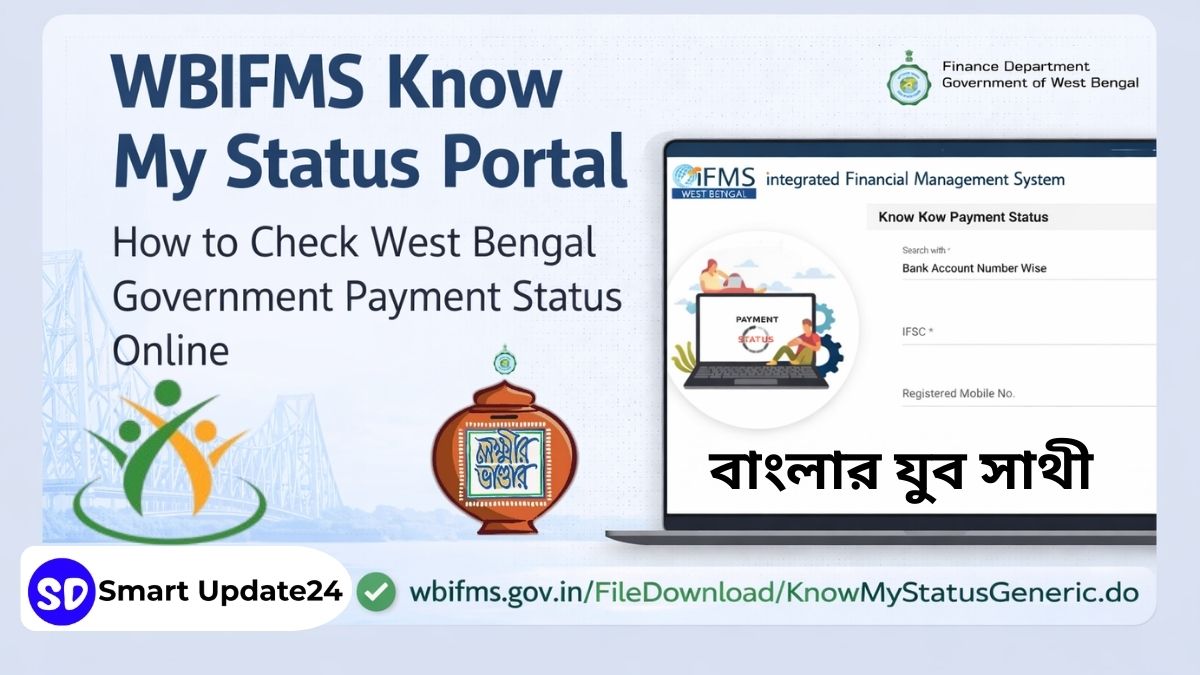
WBIFMS Know My Status Portal: The Government of West Bengal has introduced several digital platforms to make financial transactions transparent and accessible. One of the most important systems is the WBIFMS, which helps manage government payments, salaries, bills, and treasury operations.
A special feature inside this system is the “Know My Status” portal, where users can check the status of payments released by the West Bengal government.
The portal can be accessed directly here: https://wbifms.gov.in/FileDownload/KnowMyStatusGeneric.do
This page allows individuals, vendors, contractors, and beneficiaries to track whether their payment has been processed or credited to their bank account.
Related Article: WB ITI & Polytechnic Admission 2026–27: Online Applications Open Through Common Admission Portal
What is WBIFMS Know My Status Portal?
WBIFMS (West Bengal Integrated Financial Management System) is an official financial management platform developed by the Finance Department, Government of West Bengal.
The system is designed to digitize and manage all state government financial operations. It connects various departments, treasuries, banks, and beneficiaries through a centralized online platform.
Through this portal, the government handles:
- Salary payments of government employees
- Treasury transactions
- Bill processing and approvals
- Vendor and contractor payments
- Pension disbursement
- Government scheme payments
By using this digital system, the state government ensures transparency, faster processing, and better financial monitoring.
Related Article: Yuba Sathi Status Check Online 2026 | Step by step process -Click Here
What is the “Know My Status” Page?
The Know My Status page is a dedicated tool within WBIFMS that allows users to check the payment or transaction status of government funds.
If the West Bengal government has issued a payment to someone through the WBIFMS system, the recipient can track the status using this page.
This tool is especially useful for people waiting for:
- Vendor payments
- Tender payments
- Government scheme benefits
- Treasury bill payments
- Contractor payments
It helps users confirm whether the payment has been processed, approved, or transferred to the bank.
Who Can Use This Portal?
The WBIFMS “Know My Status” portal can be used by several categories of people connected with government payments.
These include:
- Government vendors and suppliers
- Contractors working on government projects
- Beneficiaries of government schemes
- Organizations receiving government payments
- Individuals whose payments are processed through the treasury
Anyone whose payment is processed through the WBIFMS financial system can check the status online.
Information Required to Check Payment Status
To check the payment status on the portal, users generally need to provide basic banking details linked with the payment.
These may include:
- Bank Account Number
- IFSC Code
- Registered Mobile Number
Once the correct details are entered, the system shows the current status of the payment.
How to Check WBIFMS Payment Status Online
Users can follow these simple steps to check their payment status.
Step 1
Visit the official page:
https://wbifms.gov.in/FileDownload/KnowMyStatusGeneric.do
Step 2
Enter the required details such as bank account number and IFSC code.
Step 3
Provide the registered mobile number if required.
Step 4
Submit the information.
Step 5
The portal will display the payment status and transaction details.
This process takes only a few minutes and can be done from any device connected to the internet.
Key Benefits of the WBIFMS Portal
The WBIFMS system offers several advantages for both the government and the public.
Transparency
Users can check their payment status directly without relying on offices or intermediaries.
Faster Processing
Digital processing reduces paperwork and speeds up payment approvals.
Online Tracking
Beneficiaries can monitor their payment progress anytime.
Reduced Corruption
Digital records ensure accountability and minimize manual interference.
Centralized Financial Management
All government financial transactions are managed in a single integrated system.
Why the Portal is Important
Before digital systems like WBIFMS were introduced, people often had to visit government offices or treasury departments multiple times to know whether their payment had been processed.
Now, with the Know My Status feature, anyone can quickly verify their payment status online. This improves efficiency, saves time, and reduces confusion for beneficiaries.
WBIFMS App Download: How to Install the West Bengal IFMS Mobile App
The Government of West Bengal has also made the WBIFMS available via a mobile application, allowing users to access financial services on their smartphones easily.
Through the WBIFMS mobile app, government employees, vendors, and beneficiaries can check payment status, salary details, treasury information, and other financial records directly from their phones.
Official WBIFMS App Download Link
The official WBIFMS mobile application is available on the Google Play Store.
Download here: https://play.google.com/store/apps/details?id=com.wbifms.app
Search on Play Store using: WBIFMS
How to Download the WBIFMS App (Step-by-Step)
Follow these simple steps to install the WBIFMS app on your mobile phone.
Step 1
Open the Google Play Store on your Android phone.
Step 2
In the search bar, type WBIFMS.
Step 3
Find the official app published by the Finance Department, Government of West Bengal.
Step 4
Tap Install.
Step 5
Once installation is complete, open the app and log in using your credentials.
Key Features of the WBIFMS Mobile App
The mobile application provides many important services related to government financial transactions.
Salary Information
Government employees can check their monthly salary details and pay slips.
Payment Status
Users can track payments processed through the treasury system.
Treasury Services
Access treasury-related financial records and bill processing information.
Employee Services
Government staff can manage personal details and financial records.
Easy Mobile Access
All services are available directly from a smartphone without visiting government offices.
Who Can Use the WBIFMS App?
The mobile app is mainly designed for:
- Government employees of West Bengal
- Treasury officers
- Vendors and contractors working with the government
- Beneficiaries receiving government payments
Important Note
Always download the WBIFMS app only from official sources, such as the Google Play Store, to avoid fake or unauthorized applications.
Frequently Asked Questions (FAQ)
What is WBIFMS?
WBIFMS stands for West Bengal Integrated Financial Management System, an online financial platform used by the Government of West Bengal to manage treasury and payment systems.
Is the WBIFMS portal official?
Yes, it is an official government portal operated by the Finance Department of the Government of West Bengal.
What can I check on the Know My Status page?
You can check whether a government payment has been processed, approved, or transferred to your bank account.
Who can use the payment status portal?
Government vendors, contractors, beneficiaries, and individuals receiving payments through WBIFMS can use the portal.
Do I need to register to check payment status?
No registration is usually required. You only need the required banking details to check the status.
